Medieval ox-inventory redesign
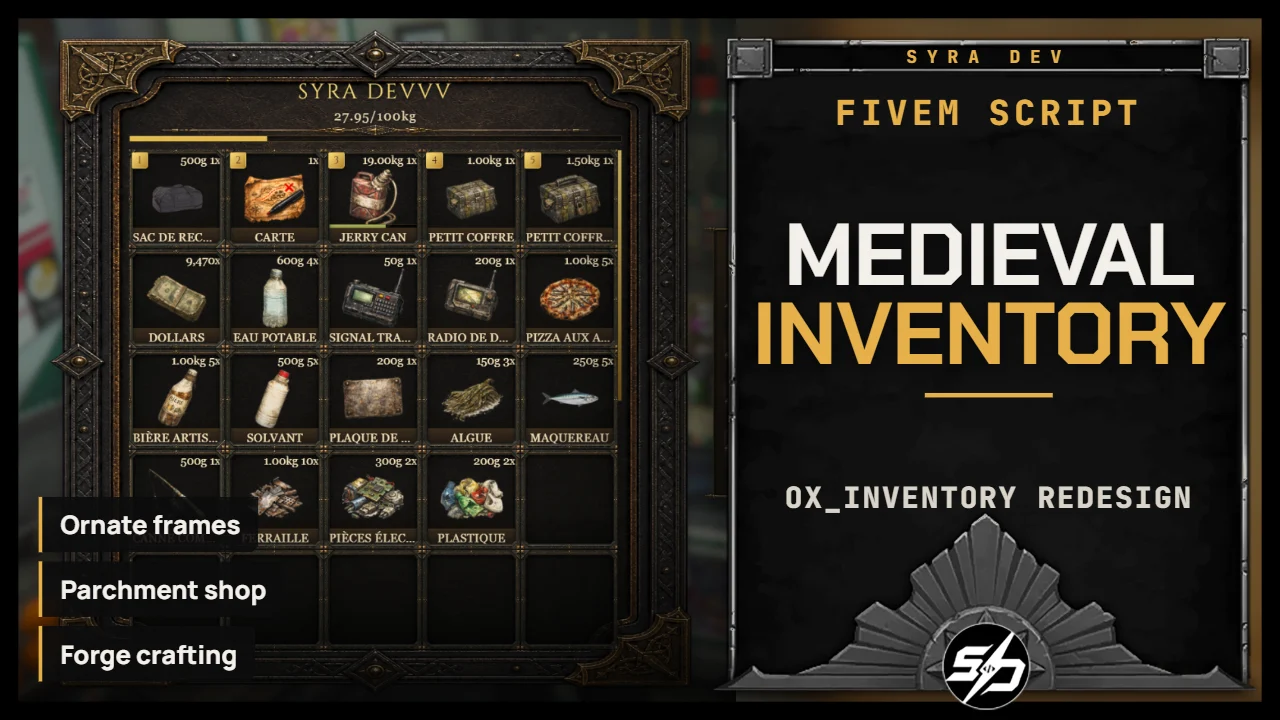
Medieval Fantasy ox-inventory Redesign
Medieval_ox_inventory is a complete medieval-fantasy visual redesign for ox_inventory.
It transforms the inventory, shops, item slots, action controls and hotbar into a dark, ornate interface inspired by classic fantasy RPGs. The theme combines aged parchment, forged metal, warm gold details and readable high-resolution layouts without changing ox_inventory's core gameplay.
Key Features
-
⚔️ Dark medieval inventory frame: Ornate forged-metal panels with warm gold details and a deep fantasy atmosphere.
-
📜 Interfaces: Parchment shop, Forge Crafting, Chest stashes interface: Menus are displayed in special layouts a stronger roleplay presentation.
-
🧰 Redesigned item slots: Custom medieval slot frames, labels, weight display and item number badges.
-
🏷️ Improved shop prices: High-contrast price labels remain readable over parchment and item artwork.
-
🎨 Unified visual language: Matching buttons, action controls, tooltips, dialogs and notifications across the interface.
-
⌨️ Clean hotbar design: A centered TAB hotbar showing only the item slots, without background panels or ornaments.
-
🖥️ High-resolution responsive styling: Layout scaling refined for 1440p and higher resolutions.
Technical Information
-
Code is accessible: Yes
-
Subscription-based: No
-
Lines (approximately): 13,700
-
Framework: ESX
-
Inventory base: ox_inventory
-
Requirements: ox_lib, oxmysql and ESX
-
Target interactions: ox_target, with a configurable marker alternative for death loot
-
Interface languages: English and French
-
Support: Yes
Installation guide
Download the resource
After purchase, sign in to portal.cfx.re (Granted Assets) with the Cfx account linked to your Tebex order and download the resource.
Back up your current inventory
This is a full visual redesign of ox_inventory. Back up your current
ox_inventoryfolder and your database before replacing it.Replace ox_inventory
Remove your old
ox_inventoryfolder and place the new one in yourresourcesfolder. The resource must be namedox_inventoryso your other scripts keep working, and only one copy may run.Start order in server.cfg
Start the dependencies before the inventory:
ensure oxmysql
ensure ox_lib
ensure es_extended
ensure ox_target
ensure ox_inventory
Check your items
Gameplay is unchanged from ox_inventory: your items, stashes and shops keep working. Add any missing item icons to
web/images.