Map System
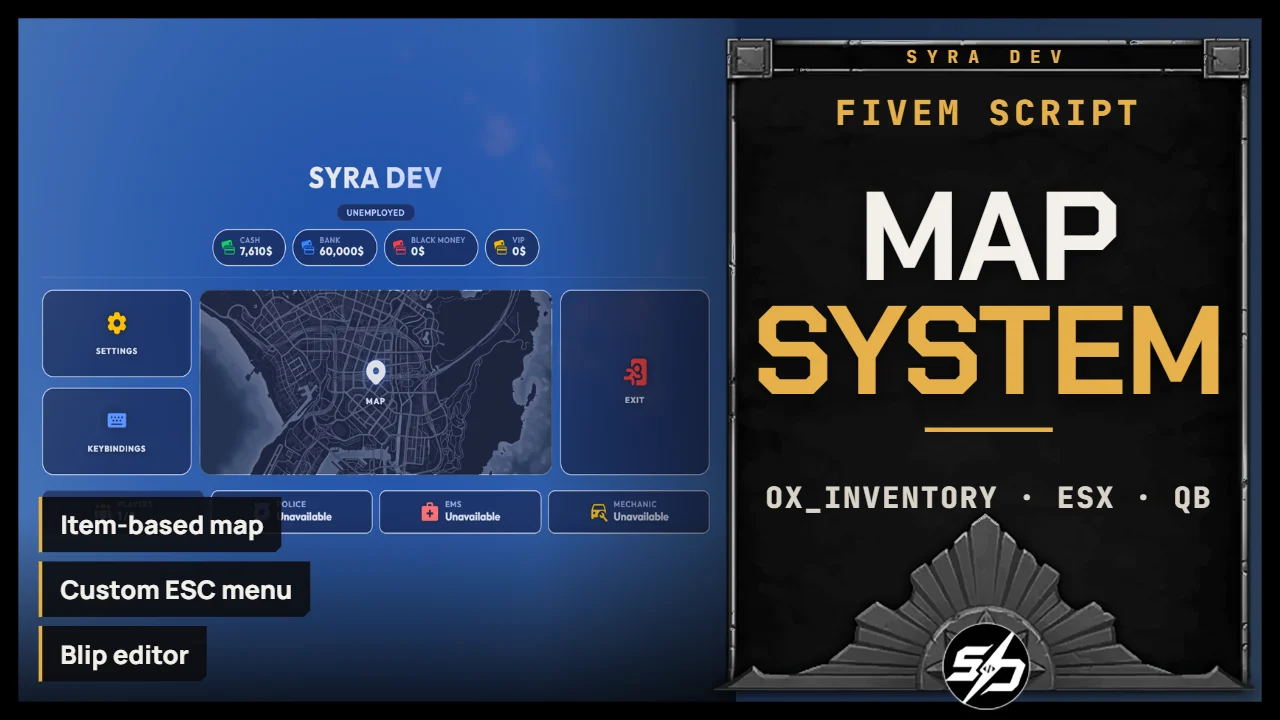
Advanced map system
Instead of giving every player free access to the minimap and pause-menu map, map access is tied to a unique inventory item. The access is restricted for people with a map in their inventory. And they can use the map to have their own custom blips.
The script also includes a fully redesigned ESC menu with configurable buttons, player information, service status, money cards, social links, and custom colors.
Key Features :
-
🗺️ Inventory-based map access : Players need a map item to access the minimap, escape map, and map-related features. Each map is unique through item metadata.
-
🧭 Custom ESC pause menu : Replace the default GTA/FiveM pause menu with a clean custom interface. Enable or disable displayed sections, customize colors, show player money, job, online players, service availability, links, logo, and more.
-
✏️ Interactive map editor : Players can create, edit, and delete custom blips directly from a NUI interface. Blips support names, icons, colors, radius zones, and persistent storage. You can also include your own custom blips.
-
🤝 Map sharing system : Players can share selected blips with nearby players using an ox_lib selection menu. If the receiver owns a map, shared blips can be saved into their own map. Or you can give a player your own map, or even steal one...
-
🧑💼Cartographer NPC : Optional NPC system allowing players to buy blank maps or duplicate an existing map. Prices, payment type, NPC model, position, blip, and interaction method are configurable.
-
💾Persistent database storage : Maps and blips are saved with oxmysql, making every map item persistent and unique.
-
🎛️ Highly configurable : Framework, inventory, notifications, locale, pause menu behavior, allowed blips, allowed colors, sharing cooldown, cartographer options, and UI colors can all be adjusted.
-
🔌 Server-side export included : Create valid map items programmatically from other scripts using the included export.


Technical Information
-
Framework : ESX, QB
-
Code is accessible : No (Partially)
-
Subscription-based : No
-
Lines : 8100
-
Requirements : ox_lib, oxmysql, ox_inventory recommended, ox_target optional
-
Support : Yes
-
Locales : EN, FR
Installation guide
Download the resource
After purchase, sign in to portal.cfx.re (Granted Assets) with the Cfx account linked to your Tebex order and download
Syra_MapItem.Add it to your resources
Extract the archive and place
Syra_MapItemin your serverresourcesfolder. Keep the folder name unchanged: other resources and item exports call it by name.Import the SQL
Import
sql.sqlfrom the resource root. It creates theplayer_mapstable.source sql.sqlAdd the map item
Add the item to
ox_inventory/data/items.lua:['map'] = { label = 'Map', weight = 200, stack = false, close = true, },stack = falsekeeps a separatemap_idper map. For QBCore, add toqb-core/shared/items.lua:map = { name = 'map', label = 'Map', weight = 0, type = 'item', image = 'map.png', unique = true, useable = false, shouldClose = true, description = 'A map used to write and share markers' },For qb-inventory, copy
INVENTORY/map.pngtoqb-inventory/html/images/map.png.Start order in server.cfg
Start it after oxmysql, ox_lib and your inventory:
ensure oxmysql
ensure ox_lib
ensure ox_inventory
ensure Syra_MapItem
Configure
Config.Framework        = 'esx'   -- 'esx' | 'qb'
Config.Inventory        = 'ox'    -- 'ox' | 'qs' | 'qb' | 'esx'
Config.Locale           = 'en'    -- 'en' | 'fr'
Config.Notify           = 'ox'    -- 'ox' | 'esx' | 'syra'
Config.MapItem          = 'map'   -- inventory item name
Config.DisablePauseMenu = true    -- block ESC menu when player has no map
Config.EditorKey        = 'F6'    -- key to open the blip editor
Config.Target           = 'ox'    -- 'ox' | 'qb' | 'none'