Magical Post
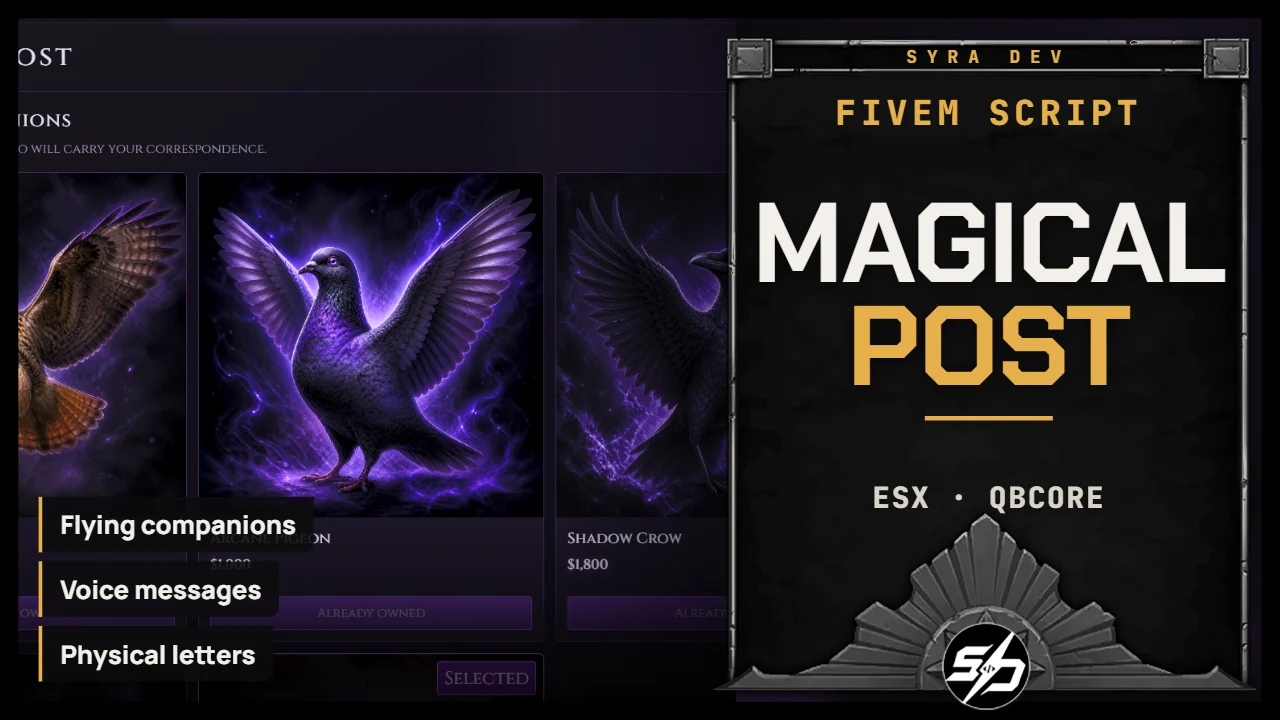
Syra_MagicalPost - Fantasy Mail, Voice Messages and Flying Companions
Syra_MagicalPost is an immersive fantasy postal system for FiveM that combines physical letters, recorded voice messages and collectible flying companions in one complete roleplay experience.
Players can visit a configurable postal NPC to purchase their own messenger bird, build a contact list with nearby players and exchange deliveries through a fully themed magical interface. Letters and Magiwords are collected as inventory items, allowing recipients to keep and replay their correspondence whenever they want.
Every companion can be placed on the player's shoulder, sent flying into a configurable orbit and followed through a third-person spectator camera. Particle effects accompany its arrival and departure for a polished magical presentation.
Key Features
-
🦅 Flying companion shop: Purchase configurable birds using money, items or both.
-
✨ Magical companion effects: Summon and dismiss pets with customizable particle effects.
-
🧍 Shoulder companion system: Each pet has independent position, rotation and attachment settings.
-
🪽 Animated flight behavior: Companions fly from the player's shoulder to their configured altitude and orbit around their owner.
-
🎥 Pet spectator camera: Follow the selected companion in third person while it is flying.
-
✉️ Physical letter system: Write letters with a subject and message, then collect them as reusable inventory items.
-
🎙️ Magiword voice messages: Record up to five minutes from the player's default microphone and send the recording as an inventory item.
-
▶️ Integrated audio player: Play, pause, replay or stop received Magiwords without preventing player movement.
-
👥 Mutual contact system: Detect nearby players, send contact requests and build a persistent recipient list after acceptance.
-
📬 Persistent mailbox: View the sender, received date, subject and collection status of every delivery.
-
🧭 Flexible menu access: Open the postal menu through a configurable key, selected locations or both.
-
🎨 Fully configurable interface: Customize every color, font, font color, external font URL and menu dimension.
Technical Information
-
Framework : ESX, QBCore
-
Code is accessible : No (Partially)
-
Subscription-based : No
-
Lines : 3900+
-
Requirements : oxmysql, OneSync, supported inventory, framework
-
Optional : ox_target or qb-target
-
Support : Yes
-
Locales : EN, FR
Installation guide
Download the resource
After purchase, sign in to portal.cfx.re (Granted Assets) with the Cfx account linked to your Tebex order and download
Syra_MagicalPost.Add it to your resources
Extract the archive and place
Syra_MagicalPostin your serverresourcesfolder. Keep the folder name unchanged: other resources and item exports call it by name.Database
Tables are created automatically.
sql/install.sqlis provided for a manual install (syra_magicalpost_pets,syra_magicalpost_contacts,syra_magicalpost_messages).Add the items
Copy the four definitions from
install/ox_inventory_items.luaintoox_inventory/data/items.lua(orinstall/qb_items.luaintoqb-core/shared/items.lua):['paper'] = { label = 'Papier à lettres', weight = 5, stack = true, close = true, description = 'Une feuille prête à recevoir quelques mots.', image = 'paper.svg', }, ['magiword'] = { label = 'Magiword vierge', weight = 20, stack = true, close = true, description = 'Un réceptacle magique capable de conserver une voix.', image = 'magiword.svg', }, ['magical_letter'] = { label = 'Vieille lettre', weight = 10, stack = false, close = true, consume = 0, description = 'Une lettre confiée à la Poste Magique.', client = { image = 'magical_letter.svg', export = 'Syra_MagicalPost.useMessageItem', }, }, ['magical_magiword'] = { label = 'Magiword scellé', weight = 30, stack = false, close = true, consume = 0, description = 'Une voix est scellée à l’intérieur.', client = { image = 'magical_magiword.svg', export = 'Syra_MagicalPost.useMessageItem', }, },Copy the four files from
install/images/into your inventory image folder.Start order in server.cfg
ensure oxmysql
ensure ox_inventory # or qb-inventory
ensure Syra_MagicalPost
Restart the inventory, then Syra_MagicalPost.
Voice storage
Magiwords are saved as WebM/Opus files in
storage/voice/; only metadata goes to the database. Keep this folder writable by FXServer and include it in your backups.