Identity system
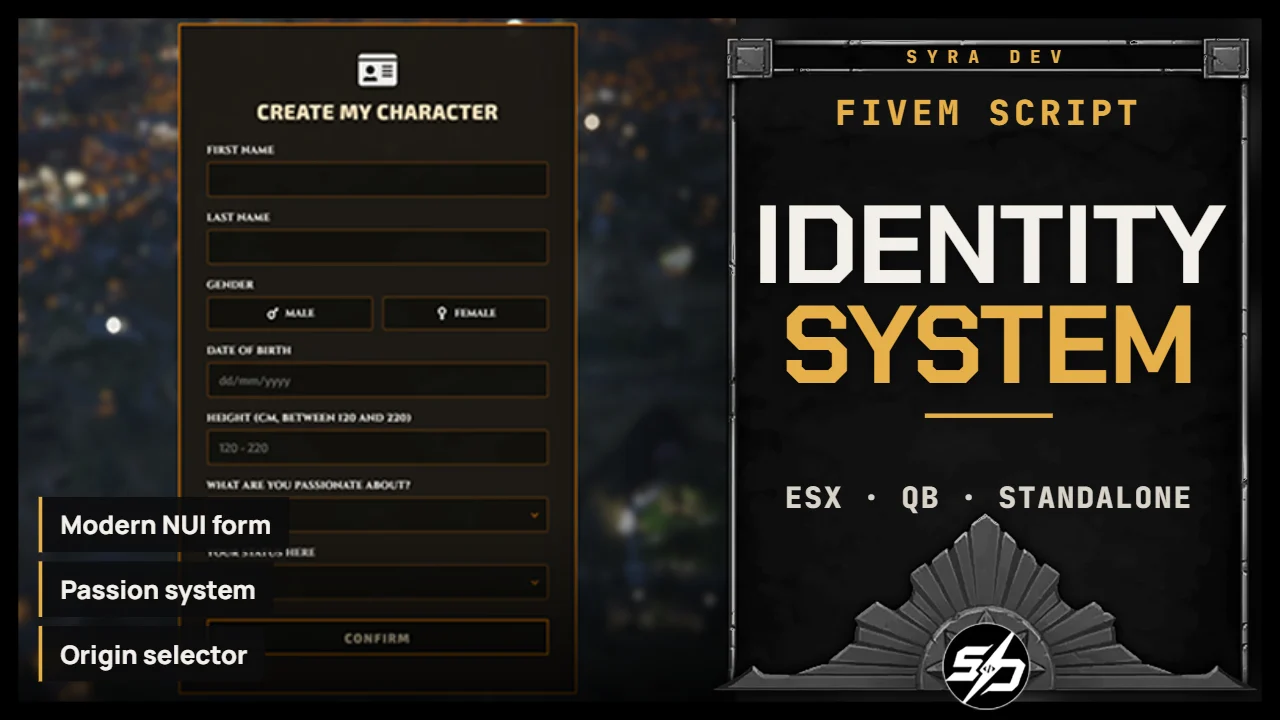
Identity System
Syra_Identity replaces the default identity registration flow with a clean NUI form and a configurable character identity system.
It is made for servers that want a more immersive first-registration experience, with support for custom character flows.
The script can work on its own or as part of the Syra character suite with Syra_Multichars and Syra_CharacterCreator (or any other same scripts)
Key Features
-
🪪 Modern NUI identity form: Register first name, last name, birth date, gender, height and optional roleplay fields.
-
🎯 Passion system: Optional passion selection with configurable starter item rewards.
-
🛬 Origin selector: Optional origin selection that can control the player spawn after registration.
-
👥 Multicharacter integration: Designed to continue the flow with Syra_Multichars or a custom one after identity validation.
-
🧬 Creator integration: Can open Syra_CharacterCreator, esx_skin, illenium-appearance or a custom creator after identity validation.
-
✅ Validation options: Configurable name length, date format, height limits, birth year limits and alphabet checks.
-
🎛️ UI customization: Colors, fonts, blur, locale and notification system are configurable.
Technical Information
-
Framework : ESX, QB, Standalone
-
Code is accessible : No (Partially)
-
Subscription-based : No
-
Lines : 1800
-
Requirements : oxmysql
-
Support : Yes
-
Locales : EN, FR
Installation guide
Download the resource
After purchase, sign in to portal.cfx.re (Granted Assets) with the Cfx account linked to your Tebex order and download
Syra_Identity.Add it to your resources
Extract the archive and place
Syra_Identityin your serverresourcesfolder. Keep the folder name unchanged: other resources and item exports call it by name.Disable esx_identity
Remove or disable
esx_identityinserver.cfg. Do not run both at the same time.Import the SQL
Import the file that matches your framework:
sql_esx.sqladds the identity columns tousers,sql_qb.sqlmakes sureplayers.charinfoexists.-- ESX source sql_esx.sql -- QBCore source sql_qb.sqlStart order in server.cfg
ensure oxmysql
ensure es_extended # or qb-core
ensure Syra_Identity
Configure
Edit
config.lua:IdentityConfig.Framework = 'auto_detect' -- 'auto_detect' | 'esx' | 'qb' | 'standalone' IdentityConfig.Locale = 'en' -- 'en' | 'fr' IdentityConfig.UsersDatabase = 'users' -- ESX table IdentityConfig.QBPlayersDatabase = 'players' -- QBCore table IdentityConfig.Multichars = true -- true = Syra_Multichars continues the flow IdentityConfig.UseCustomSkinCreator = false -- standalone only: opens a creator after identity IdentityConfig.NotifySystem = 'none' -- 'syra' | 'ox' | 'esx' | 'qb' | 'native' | 'custom' | 'none'