Character Store (Clothing, Barber, Tattoo) - OUTFIT VERSION
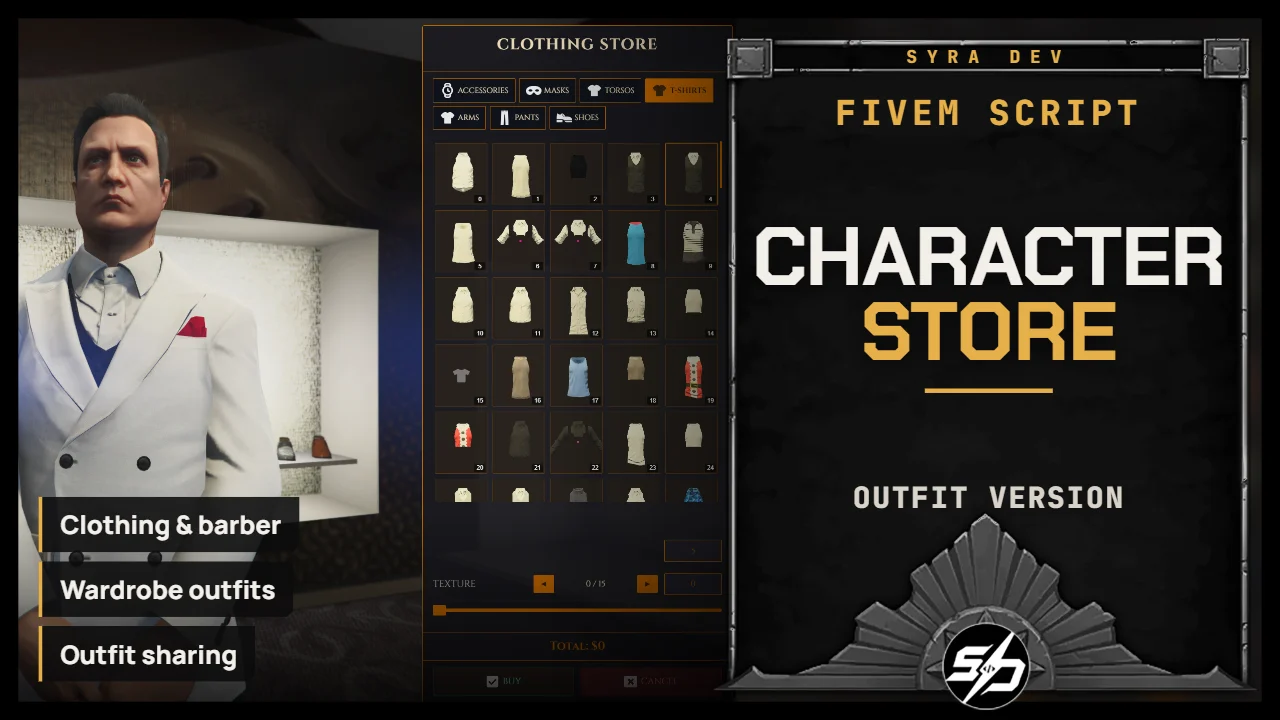
Syra Character Store is a full NUI shop system for clothing stores, barber shops, tattoo shops with a wardrobe system
It allows players to buy appearance changes, manage saved outfits, use wardrobes, share outfits with other players and keep their character style persistent across sessions.
The script is designed as a complete appearance shop solution, with configurable locations, prices, categories, blocked clothing and payment methods.
Key Features
- 👔Clothing stores: Players can buy and buy clothing through a modern NUI interface.

- 💈 Barber shops: Hair, beard, makeup and face-related style categories are supported.

- 🖋️ Tattoo shops: You can apply as many tattoos as you want and remove them easily.

- 🧥 Wardrobe system: Players can save, load and manage outfits.

- 🎒 Outfit sharing: Players can share outfits with other players depending on your configured flow.

- 💰 Configurable prices and Blacklist: Every clothing, barber and tattoo category has its own configurable price. You can also blacklist some clothing.

- 🎛️ Highly configurable UI: Colors, fonts, locale, notifications, categories and behavior can be adjusted.

- 🧍And also : Come with a script to store your outfit in a bag and with a script to fix the hair ruining some masks look.

Technical Information
- Framework : ESX, QB, Standalone
- Code is accessible : No (Partially)
- Subscription-based : No
- Lines : 9400
- Requirements : oxmysql, ESX/QBCore or standalone setup
- Support : Yes
- Locales : EN, FR
Installation guide
Download the resource
After purchase, sign in to portal.cfx.re (Granted Assets) with the Cfx account linked to your Tebex order and download
Syra_CharacterStores.Add it to your resources
Extract the archive and place
Syra_CharacterStoresin your serverresourcesfolder.SQL
The
syra_outfitstable and thetattoosandskincolumns are created automatically on first start. You can also import them manually. On QBCore,sql_qb.sqlalso createsplayerskinsandplayer_outfits, so theqb-clothingSQL is not needed.-- ESX source sql_esx.sql -- QBCore source sql_qb.sqlStart order in server.cfg
Start it after
oxmysqland your framework. On QBCore, do not run the originalqb-clothing: this resource provides it, so start it beforeensure [qb].ensure oxmysql ensure es_extended # or: ensure qb-core ensure esx_skin # ESX only; QB can use Syra without qb-clothing ensure Syra_CharacterStores # QB: start before ensure [qb], it provides qb-clothing ensure Syra_Outfitbag # optional, for item-based wardrobeConfigure
Set locations, framework and notifications in
config.lua, prices inconfig.prices.lua.Config.Framework = 'auto_detect' -- 'auto_detect' | 'esx' | 'qb' | 'standalone' Config.Locale = 'en' -- 'en' | 'fr' Config.UsersDatabase = 'users' -- ESX / standalone table Config.QBPlayersDatabase = 'players' -- QBCore table Config.SyraOutfitsDatabase = 'syra_outfits' -- Standalone outfit table Config.NotifySystem = 'none' -- 'syra' | 'ox' | 'esx' | 'qb' | 'native' | 'custom' | 'none' Config.UseOxTarget = false -- true = ox_target interaction zones Config.SaveOutfits = true -- Allow players to save outfits Config.MaxOutfits = 30 -- Max saved outfits per player Config.OutfitBag = { Enabled = false } -- true = Syra_Outfitbag item opens wardrobe