Character Creator
Character Creator
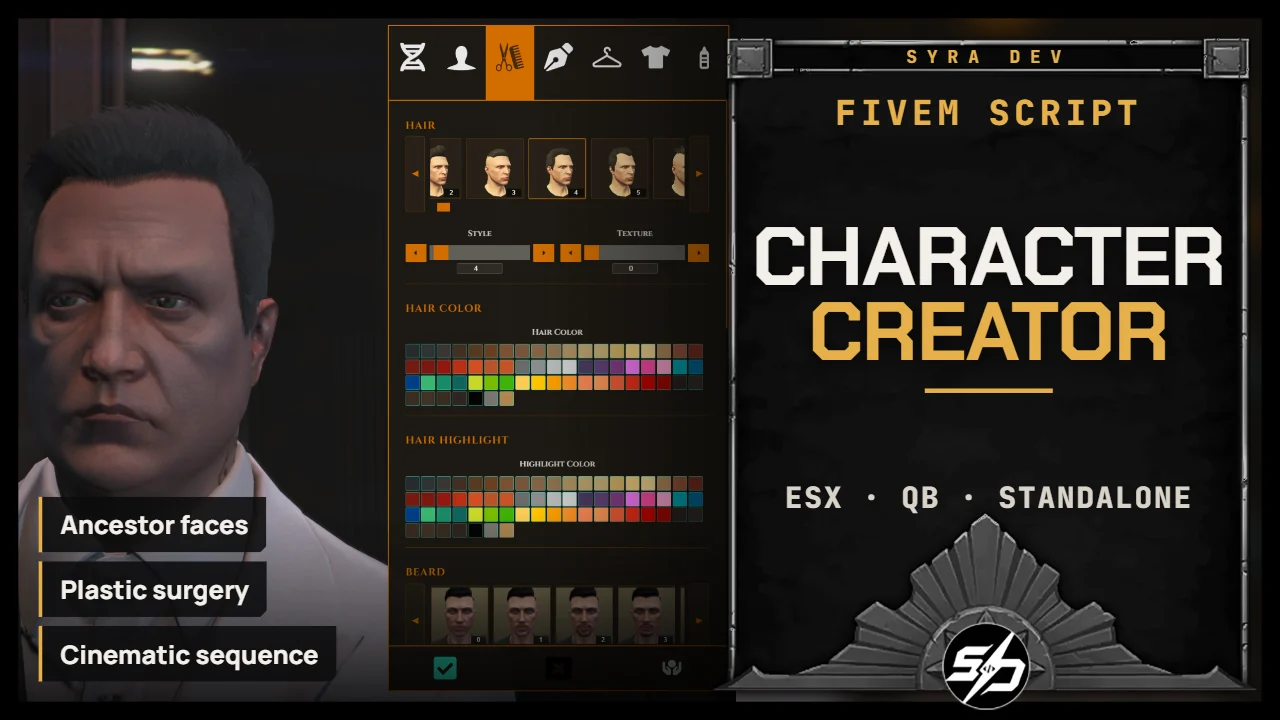
This script is a complete NUI character creation system designed to replace the basic creation flow with a modern, polished and highly configurable experience.
It gives players a full first-character creation interface with identity-friendly flow support, appearance customization, clothing presets, tattoos (If you have Syra_CharacterStores), plastic surgery, camera controls and post-creation cinematic options.
The script is built to work as a full creation hub, while also integrating cleanly with Syra_Identity and Syra_Multichars (or any other identity and multichars systems)
Key Features
-
🧬 Complete NUI character creator: Players can customize parents, face features, hair, clothes, outfits, makeup and tattoos through a clean UI.
-
🧍Even more faces: With the "Ancestor" system and new faces included in the script, you have a lot more options to have an unique character
-
🏥 Plastic surgery system: Optional surgery point with configurable price, marker, blip, ox_target support and limited editable categories.
-
🎨 Tattoo support: Tattoo data can be loaded through Syra_CharacterStores / Syra_CharacterStoresItems when available.
-
🎬 Post-creation sequence: Optional video, music, fade, black fade and animation after character validation.
-
🎛️ Highly configurable UI: Categories, blocked clothing, camera behavior, sounds, blur, colors, fonts and locale can be adjusted.
Technical Information
-
Framework : ESX, QB, Standalone
-
Code is accessible : No (Partially)
-
Subscription-based : No
-
Lines : 8100
-
Requirements : oxmysql. Syra_CharacterStores / Syra_CharacterStoresItems for the Tattoo section to work
-
Support : Yes
-
Locales : EN, FR
Installation guide
Download the resource
After purchase, sign in to portal.cfx.re (Granted Assets) with the Cfx account linked to your Tebex order and download
Syra_CharacterCreator.Add it to your resources
Extract the archive and place
Syra_CharacterCreatorin your serverresourcesfolder. Keep the folder name unchanged: other resources and item exports call it by name.SQL
The script checks the required columns on the active framework table at startup. You can also import them manually:
-- ESX
source sql_esx.sql

-- QBCore
source sql_qb.sql
Start order in server.cfg
ensure oxmysql
ensure es_extended # or qb-core
ensure skinchanger
ensure Syra_Identity # optional
ensure Syra_CharacterStoresItems # optional
ensure Syra_CharacterCreator
ensure Syra_Multichars # optional, after the creator
esx_skin compatibility
Recommended: do not start
esx_skinoresx_multichars. If you must keepesx_skin, comment outMenu:Saveable()in itsesx_skin:playerRegisteredhandler, otherwise two creation menus can open:if skin == nil then exports["skinchanger"]:LoadSkin({ sex = 0 }) -- Menu:Saveable() elseConfigure
Config.Framework = 'auto_detect' -- 'auto_detect' | 'esx' | 'qb' | 'standalone'
Config.Locale = 'en' -- 'en' | 'fr'
Config.UsersDatabase = 'users' -- ESX / standalone table
Config.QBPlayersDatabase = 'players' -- QBCore table
Config.NotifySystem = 'none' -- 'syra' | 'ox' | 'esx' | 'qb' | 'native' | 'custom' | 'none'
Config.UseOxTarget = false -- true = ox_target plastic surgery zone
Config.StandaloneMode = false -- true = force standalone mode
Config.CreationOutfitItem.enabled = true -- gives an outfit item after first creation when StoresItems is running